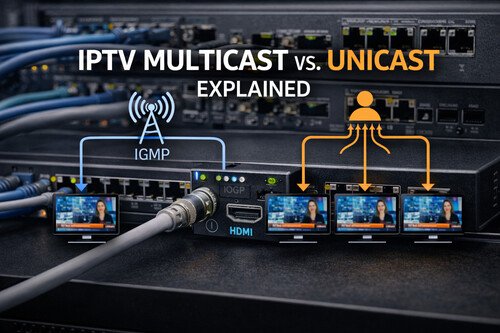
When people say “IPTV,” they often mean one of two very different delivery models: multicast (broadcast-style TV over IP) or unicast (one stream per viewer, streaming-style). Both can deliver the same channel lineup to the same screens-but the way they behave on your network, and how well they scale, is radically different. If you’re designing an IPTV system for a hotel, campus, hospital, stadium, or enterprise LAN, this distinction isn’t academic. It’s the difference between a system that runs smoothly for 500 TVs and one that collapses the moment 50 people tune in at once.
IPTV Multicast vs. Unicast Explained: Bandwidth, IGMP, and Real-World Deployments
When people say “IPTV,” they often mean one of two very different delivery models: multicast (broadcast-style TV over IP) or unicast (one stream per viewer, streaming-style). Both can deliver the same channel lineup to the same screens-but the way they behave on your network, and how well they scale, is radically different.
If you’re designing an IPTV system for a hotel, campus, hospital, stadium, or enterprise LAN, this distinction isn’t academic. It’s the difference between a system that runs smoothly for 500 TVs and one that collapses the moment 50 people tune in at once.
The quick definition
Unicast
One viewer = one stream. If 100 TVs watch the same channel, the server/encoder sends 100 separate streams.
Multicast
One channel = one stream on the network. The network replicates that stream only to the switches/ports where viewers are subscribed.
A helpful analogy:
- Unicast is like calling each person on the phone and reading them the news-one call per listener.
- Multicast is like broadcasting on radio-one transmission, unlimited listeners.
How unicast works in IPTV
In unicast IPTV, each endpoint requests a stream directly from a server (or an encoder that can serve multiple sessions). Common protocols and packaging in unicast-heavy environments include:
- HLS (HTTP Live Streaming)
- DASH
- RTSP/RTP in some deployments
- WebRTC/SRT in specific workflows (less “classic IPTV,” more low-latency streaming)
Pros of unicast
- Simpler network requirements: No IGMP, no multicast routing policies, fewer “mystery” switch configuration issues.
- Easier over Wi-Fi and across WANs: Most Wi-Fi networks and many WAN environments are friendlier to HTTP-based unicast than multicast.
- Better personalization: Per-user DRM, per-user ads, time-shift features, and analytics are typically easier.
Cons of unicast
- Scales linearly with viewers: 200 viewers can mean 200 streams. That’s load on:
- the server/streamer
- uplinks
- core switches
- sometimes the encoder itself
- Bandwidth can explode fast: A 6 Mbps channel watched by 100 endpoints is ~600 Mbps of egress from the server segment-before overhead.
Unicast is often “good enough” for smaller deployments, mixed Wi-Fi environments, or where interactive features matter more than pure scaling efficiency.
How multicast works in IPTV
In multicast IPTV, the channel is sent to a multicast group address (for example, 239.x.x.x). Endpoints “join” the group when they tune the channel, and “leave” when they switch away.
This joining/leaving is handled using IGMP (Internet Group Management Protocol):
- IGMP Join: “I want multicast group 239.1.1.10”
- IGMP Leave: “I’m done with that group”
Switches use IGMP snooping to listen to these join/leave messages and forward the multicast stream only to ports that requested it.
Pros of multicast
- Massive scalability: 1 stream per channel, no matter how many TVs.
- Predictable bandwidth: If you have 50 channels at 6 Mbps each, you’re in the ballpark of 300 Mbps on the backbone-whether 10 or 1,000 endpoints are watching.
- Broadcast-like behavior: Excellent for traditional “channel surfing” environments like hotels and campuses.
Cons of multicast
- Requires correct network configuration: Misconfigured IGMP can flood multicast everywhere, causing congestion or weird playback issues.
- Wi-Fi multicast can be painful: Many Wi-Fi networks handle multicast inefficiently (it can be converted to low data rates, or replicated in ways that hurt airtime). Some systems use multicast-to-unicast conversion at the edge for Wi-Fi.
- Harder across routed networks unless you design for multicast routing (PIM, queriers, etc.).
The scaling math (why multicast exists)
Let’s put rough numbers on it.
Assume:
- One HD channel encoded at 6 Mbps
- 200 TVs tuned to the same channel
Unicast bandwidth (same channel, 200 viewers):
6 Mbps × 200 = 1,200 Mbps (1.2 Gbps) plus overhead.
Multicast bandwidth (same channel, any viewers):
6 Mbps × 1 = 6 Mbps on shared links (replicated only where needed).
That’s why hospitality IPTV and campus IPTV almost always aim for multicast in the wired LAN. It’s simply the broadcast model that cable systems have relied on for decades-now carried over IP.
IGMP essentials (the pieces you must get right)
If multicast is “TV over IP,” then IGMP is the remote control logic that makes it work efficiently.
1) IGMP Snooping (Switch feature)
- Prevents multicast from flooding every port.
- Ensures only subscribed ports receive the stream.
2) IGMP Querier (Who asks the questions?)
In a VLAN, there must be a device that periodically asks:
“Who still wants group 239.1.1.10?”
That’s the IGMP querier-often:
- your L3 switch
- a router
- sometimes a dedicated multicast gateway
Without a querier, memberships can time out or behave inconsistently, especially on larger networks.
3) Multicast routing (if crossing VLANs/subnets)
If your IPTV must traverse routed boundaries, you may need:
- PIM (Protocol Independent Multicast)
- proper multicast routing design
Many IPTV deployments keep endpoints and IPTV streams in the same VLAN(s) specifically to simplify this.
Common deployment patterns
Pattern A: Hotel / MDU wired IPTV (multicast-first)
- Encoders publish UDP multicast per channel.
- Set-top boxes (or hospitality TVs with IPTV middleware) join groups via IGMP.
- VLAN segmentation: IPTV VLAN(s) separated from guest traffic.
- IGMP snooping + querier enabled.
Why it’s common: maximum scale, simple viewing experience.
Pattern B: Enterprise streaming channel + remote viewers (unicast)
- One internal channel distributed via HLS/DASH.
- Viewers on desktops and mobile devices, often over Wi-Fi.
- CDN-like internal distribution or origin + cache.
Why it’s common: devices and networks are “web-first,” multicast is harder.
Pattern C: Hybrid-multicast on wired, unicast on Wi-Fi
- Backbone uses multicast for efficiency.
- At the wireless edge, a gateway converts multicast streams into unicast for Wi-Fi devices.
- Keeps LAN scalable while avoiding Wi-Fi multicast pitfalls.
Why it’s common: best of both worlds.
Latency considerations
Latency isn’t strictly multicast vs unicast-it’s mostly protocol and packaging:
- UDP multicast can be very low latency (common for “channel” delivery).
- HLS is typically higher latency (often several seconds) unless you use low-latency variants and careful tuning.
- SRT can be low-latency but usually unicast and more point-to-point.
If your use case is live sports in a bar (where screen-to-screen sync matters), you’ll care deeply about end-to-end latency and consistent buffering behavior. Multicast UDP plus consistent set-top decoding often performs well in controlled wired networks.
Which should you choose?
Choose multicast when:
- You have many endpoints watching the same channels (hotels, campuses, hospitals).
- You control the wired network and can configure IGMP correctly.
- You want predictable scaling and “channel-like” behavior.
Choose unicast when:
- Viewers are mostly on Wi-Fi/mobile devices.
- You need per-user features: authentication, DRM, individualized content.
- Your deployment spans the WAN/Internet or multiple routed domains where multicast is complex.
Choose a hybrid when:
- You want multicast efficiency on the wired LAN and broad device compatibility.
- You have mixed endpoint types (STBs + mobile apps).
- You want to minimize network drama while still scaling well.
Practical checklist (what engineers actually verify)
- Do we have IGMP snooping enabled on access switches?
- Is there an IGMP querier in each IPTV VLAN?
- Are multicast streams contained (VLAN boundaries, ACLs where appropriate)?
- Are uplinks sized for the worst-case channel lineup?
- If Wi-Fi clients exist, do we need multicast-to-unicast conversion?
- Are encoder bitrates and GOP settings aligned with endpoint capabilities?
Bottom line
Unicast is simple but scales with viewers. Multicast is scalable but requires proper network design. In a true “TV distribution” environment, multicast is the reason IPTV can behave like a traditional headend-only with the flexibility of IP. For mixed device ecosystems, hybrid designs are often the most realistic path. For more information, please read this case study.